There's no excuse not to mine the Creative Commons
We need to spread the word out on this one!


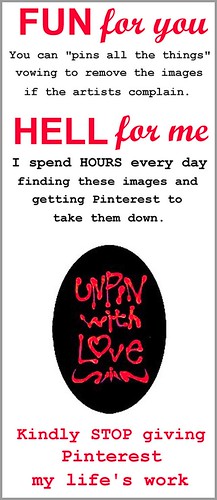
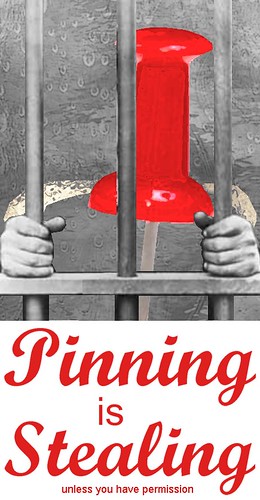
Have a function where a webmaster can request that ALL images from his/her website that are already pinned be removed everywhere on Pinterest without having to chase them individually. The default state for a website is that pinning is not allowed. To allow pinning, site must be enabled by webmaster. Critical traffic mass has been achieved - awareness of Pinterest is high enough that sufficient numbers of webmasters will enable pinning. Print-on-Demand (POD) site users should be able to submit image URLs that they disallow even if the POD site permits pinning sitewide. Make a serious effort to educate their users, geared at encouraging pinning from own material, Pin-It buttons, and Creative Commons. Educate users about finding images from the Creative Commons. Remove all publicly accessible images targeted by a DMCA take down notice. If images that are taken down need to be retained for some legal reason, let that be in a place not accessible by anyone but site admin and with password protection. Right now, an image that is taken down can still be hotlinked by clever fourth party websites. Ditch the EMBED button entirely. Many people that don't mind having their work pinned are horrified with the prospect of having their images embedded on unknown fourth party websites.

RewriteEngine On
RewriteCond %{HTTP_USER_AGENT} Pinterest [NC]
RewriteRule .*\.(jpe?g|gif|bmp|png)$ http://farm8\.staticflickr\.com/7099/7286791720_017f7f2cba\.jpg [R]

RewriteEngine On
RewriteCond %{HTTP_USER_AGENT} Pinterest [NC]
RewriteRule .*\.(jpe?g|gif|bmp|png)$ http://farm8\.staticflickr\.com/7220/7203313120_708e9a7229\.jpg [R]
RewriteEngine On
RewriteCond %{HTTP_USER_AGENT} Pinterest [NC]
RewriteRule .*\.(jpe?g|gif|bmp|png)$ http://farm8\.staticflickr\.com/7080/7167093018_58b755d606\.jpg [R]
RewriteEngine On
RewriteCond %{HTTP_USER_AGENT} Pinterest [NC]
RewriteRule .*\.(jpe?g|gif|bmp|png)$ http://farm9\.staticflickr\.com/8158/7003734640_55920c978d\.jpg [R]

RewriteEngine On
RewriteCond %{HTTP_USER_AGENT} Pinterest [NC]
RewriteRule .*\.(jpe?g|gif|bmp|png)$ http://farm8\.staticflickr\.com/7238/7003187122_e1a58a8202\.jpg [R]
RewriteEngine On
RewriteCond %{HTTP_USER_AGENT} Pinterest [NC]
RewriteRule .*\.(jpe?g|gif|bmp|png)$ http://farm8\.staticflickr\.com/7084/7002973012_8535692c4e\.jpg [R]

RewriteEngine On
RewriteCond %{HTTP_USER_AGENT} Pinterest [NC]
RewriteRule .*\.(jpe?g|gif|bmp|png)$ http://farm6\.staticflickr\.com/5275/7000674678_c5a1b80ba4\.jpg [R]

RewriteEngine On
RewriteCond %{HTTP_USER_AGENT} Pinterest [NC]
RewriteRule .*\.(jpe?g|gif|bmp|png)$ http://farm8\.staticflickr\.com/7080/7107060703_aec6eba365\.jpg [R]
 | Take the Creative Commons challenge! Why not GO LEGIT and pin images with a Creative Commons license allowing you to do it? Sure, you have to dig deep in the search interface to reach the mother lode. But it can be done. The tips below are your gateway to legitimate pinning, safe for yourself and the creators. |