<meta name = "pinterest" content = "nopin" description = "Buzz off my images, PIN HAG!" />
Showing posts with label nopin meta-tag. Show all posts
Wednesday, October 9, 2013
Customize The No-Pin Meta-tag
Did you know that you can now display your own custom message when someone attempts to pin from your website?
Tuesday, October 9, 2012
Picstopin To Picstospam
This post is for giggles.
Picstopin is a website I can only call a spammified Pinterest knockoff. Primarily, it is exploiting Bing's Image Search API to display thumbnails that the search engine Bing would show for some pre-defined search terms, or user-entered search terms. These thumbnails images might be deemed to be fair use in a court of law when diplayed by Bing in the course of a user's search, although they may be considered on the large side. When the same images are exploited by Picstopin through the Bing API, 'fair use' may be compromised - that's the sort of unprofitable legal hair splitting that no one would be expected to drag in front of a judge. It's not surprising that nopin metatags aren't respected, since the source Bing doesn't process them.
These images are arranged in the familiar format popularized by Pinterest, each image decorated by a PIN IT button. That's when the fun begins.
If a user uses the PIN IT button, the image will be credited to the website Gamerboat.com, NOT Picstopin. Gamerboat? What is Gamerboat? I looked up gamerboat.com reviews and found out, ironically, that the web domain I typed in the search query (gamerboat.com) gets obliterated from the search results, and the top result is some random Pinterest page. This demonstrates the negative power of Pinterest links: as they are treated by Google right now, having links on Pinterest is bad for the source website. Here is a screenshot:

That's the first chuckle. In trying to boost the search engine ranking of gamerboat.com via an underhanded linking scheme in Pinterest, Picstopin destroys this ranking, as outlined in this blog's Nasty Linking Practices and Clone Wars.
You can see here: pinterest.com/source/gamerboat.com/ all the images allegedly pinned from gamerboat.com; none of these images actually come from the site.
The second laugh is when a Picstopin user clicks on one of the Bing-provided image thumbnails, they are re-directed to the affiliate website of the day, mediated by Peerfly or Clickbank, for example. In some cases these websites will be denied by your virus blocker, in others, they may have intrusive pop up windows that prevent you from leaving the spam website. You may be enticed to pay for "satellite" service that consists of streams freely available on the internet, entreated to fill out phishing surveys, etc.
Picstopin is just a big old spam/virus delivery system with a honeypot aimed at pin hags. Let's hope the website is a thorn in Pinterest's side, and the hags' sides.
UPDATE: I'm sad to report that Pinterest has flagged Picstopin as a spam site and blocks pinning from it; however, pin hags can still get caught with the PIN IT button as it's coded by the spam-master as belonging to gamerboat.com,
Picstopin is a website I can only call a spammified Pinterest knockoff. Primarily, it is exploiting Bing's Image Search API to display thumbnails that the search engine Bing would show for some pre-defined search terms, or user-entered search terms. These thumbnails images might be deemed to be fair use in a court of law when diplayed by Bing in the course of a user's search, although they may be considered on the large side. When the same images are exploited by Picstopin through the Bing API, 'fair use' may be compromised - that's the sort of unprofitable legal hair splitting that no one would be expected to drag in front of a judge. It's not surprising that nopin metatags aren't respected, since the source Bing doesn't process them.
These images are arranged in the familiar format popularized by Pinterest, each image decorated by a PIN IT button. That's when the fun begins.
If a user uses the PIN IT button, the image will be credited to the website Gamerboat.com, NOT Picstopin. Gamerboat? What is Gamerboat? I looked up gamerboat.com reviews and found out, ironically, that the web domain I typed in the search query (gamerboat.com) gets obliterated from the search results, and the top result is some random Pinterest page. This demonstrates the negative power of Pinterest links: as they are treated by Google right now, having links on Pinterest is bad for the source website. Here is a screenshot:

That's the first chuckle. In trying to boost the search engine ranking of gamerboat.com via an underhanded linking scheme in Pinterest, Picstopin destroys this ranking, as outlined in this blog's Nasty Linking Practices and Clone Wars.
You can see here: pinterest.com/source/gamerboat.com/ all the images allegedly pinned from gamerboat.com; none of these images actually come from the site.
The second laugh is when a Picstopin user clicks on one of the Bing-provided image thumbnails, they are re-directed to the affiliate website of the day, mediated by Peerfly or Clickbank, for example. In some cases these websites will be denied by your virus blocker, in others, they may have intrusive pop up windows that prevent you from leaving the spam website. You may be enticed to pay for "satellite" service that consists of streams freely available on the internet, entreated to fill out phishing surveys, etc.
Picstopin is just a big old spam/virus delivery system with a honeypot aimed at pin hags. Let's hope the website is a thorn in Pinterest's side, and the hags' sides.
UPDATE: I'm sad to report that Pinterest has flagged Picstopin as a spam site and blocks pinning from it; however, pin hags can still get caught with the PIN IT button as it's coded by the spam-master as belonging to gamerboat.com,
Thursday, August 30, 2012
Pinterest Clears Its Throat
Ahem!
There is a change on Pinterest on how pins taken from search engine results are identified. Whereas only the result page URL was recorded before, now, the image links still leads to the result page, but Pinterest has added a link to the original source.
As usual, Pinterest is the master of half-arsed measures. Why is Pinterest accepting pins from search engines images at all? And if they are accepting such pins, and recording the original source, why are they not respecting their own proprietary nopin metatag?
That's right; the bozos handling the programming aren't respecting the nopin metatag when users pin from search engine image results.
Cough, cough.
Adding insult to injury, the new link to the source is given a "nofollow" attribute, rendering it useless to the content creator.
There is a change on Pinterest on how pins taken from search engine results are identified. Whereas only the result page URL was recorded before, now, the image links still leads to the result page, but Pinterest has added a link to the original source.
As usual, Pinterest is the master of half-arsed measures. Why is Pinterest accepting pins from search engines images at all? And if they are accepting such pins, and recording the original source, why are they not respecting their own proprietary nopin metatag?
That's right; the bozos handling the programming aren't respecting the nopin metatag when users pin from search engine image results.
Cough, cough.
Adding insult to injury, the new link to the source is given a "nofollow" attribute, rendering it useless to the content creator.
Sunday, July 1, 2012
Block My Website Please
Devina Divecha writes, in Pinterest — friend or foe?, "I cannot, in good faith, become a Pinterest user until the copyright infringement issues are resolved." She continues: "The website itself is trying to provide a temporary fix to those concerned about copyright by providing an “opt out” code for blog and website owners, who can incorporate into their websites preventing people from pinning their work."
Temporary fix? Never mind the "opt out" code being a temporary fix, Pinterest has the technical ability to easily block pinning from any website from their end. Is Pinterest bothering to tell people about this much easier fix for webmasters? No, of course not. Pinterest wants to make it as difficult as possible for artists whose content is infringed upon.
Anyone interested in having their website blocked from pinning doesn't need to bother recoding anything. Just write an angry letter to copyright@pinterest.com and they will do it for you.
Temporary fix? Never mind the "opt out" code being a temporary fix, Pinterest has the technical ability to easily block pinning from any website from their end. Is Pinterest bothering to tell people about this much easier fix for webmasters? No, of course not. Pinterest wants to make it as difficult as possible for artists whose content is infringed upon.
Anyone interested in having their website blocked from pinning doesn't need to bother recoding anything. Just write an angry letter to copyright@pinterest.com and they will do it for you.
Tuesday, June 12, 2012
Educate Pinners With .htaccess
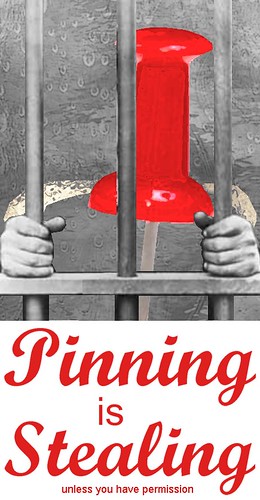
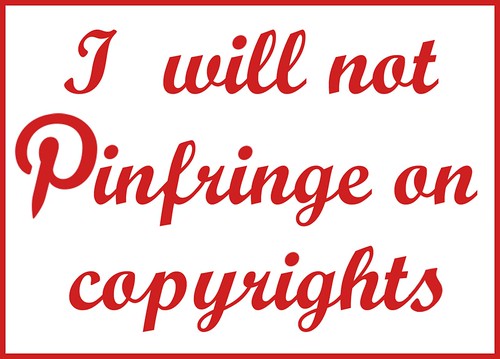
Have your own website? Here is a chance to educate the pinners with a message, and stop pinning at the same time - all with a single piece of cut-and-paste code that can disable pinning sitewide. Two birds with one stone.
Simply add the code of your choice, below, to your .htaccess file. When attempting to pin an image from your website, unbeknownst to them, the pinners will be posting something completely different, that will be seen by all their followers! There is a lot of potential to reach pinners with this method. The images are hosted on flickr.

To use this image:

To use this image:

To use this image:

To use this image:

To use this image:

To use this image:

To use this image:

To use this image:
Simply add the code of your choice, below, to your .htaccess file. When attempting to pin an image from your website, unbeknownst to them, the pinners will be posting something completely different, that will be seen by all their followers! There is a lot of potential to reach pinners with this method. The images are hosted on flickr.

To use this image:
RewriteEngine On
RewriteCond %{HTTP_USER_AGENT} Pinterest [NC]
RewriteRule .*\.(jpe?g|gif|bmp|png)$ http://farm8\.staticflickr\.com/7099/7286791720_017f7f2cba\.jpg [R]

To use this image:
RewriteEngine On
RewriteCond %{HTTP_USER_AGENT} Pinterest [NC]
RewriteRule .*\.(jpe?g|gif|bmp|png)$ http://farm8\.staticflickr\.com/7220/7203313120_708e9a7229\.jpg [R]

To use this image:
RewriteEngine On
RewriteCond %{HTTP_USER_AGENT} Pinterest [NC]
RewriteRule .*\.(jpe?g|gif|bmp|png)$ http://farm8\.staticflickr\.com/7080/7167093018_58b755d606\.jpg [R]

To use this image:
RewriteEngine On
RewriteCond %{HTTP_USER_AGENT} Pinterest [NC]
RewriteRule .*\.(jpe?g|gif|bmp|png)$ http://farm9\.staticflickr\.com/8158/7003734640_55920c978d\.jpg [R]

To use this image:
RewriteEngine On
RewriteCond %{HTTP_USER_AGENT} Pinterest [NC]
RewriteRule .*\.(jpe?g|gif|bmp|png)$ http://farm8\.staticflickr\.com/7238/7003187122_e1a58a8202\.jpg [R]

To use this image:
RewriteEngine On
RewriteCond %{HTTP_USER_AGENT} Pinterest [NC]
RewriteRule .*\.(jpe?g|gif|bmp|png)$ http://farm8\.staticflickr\.com/7084/7002973012_8535692c4e\.jpg [R]

To use this image:
RewriteEngine On
RewriteCond %{HTTP_USER_AGENT} Pinterest [NC]
RewriteRule .*\.(jpe?g|gif|bmp|png)$ http://farm6\.staticflickr\.com/5275/7000674678_c5a1b80ba4\.jpg [R]

To use this image:
RewriteEngine On
RewriteCond %{HTTP_USER_AGENT} Pinterest [NC]
RewriteRule .*\.(jpe?g|gif|bmp|png)$ http://farm8\.staticflickr\.com/7080/7107060703_aec6eba365\.jpg [R]
Friday, June 1, 2012
The Elephant Has Sneezed

Surprise! Never seen this before... from a website without a nopin tag.
If your artwork/photography is on a domain name that you own, you can notify Pinterest that you want them to block your website from pinning.
They have the technical ability to this, for they have done it. It did take months of screaming to get there.
No more endless recoding of ineffective nopin tags. While that does make things quite a bit easier for webmasters to manage, we're still dealing with an arrogant opt-out, rather than opt-in. It does beat thousands of take down notices.
What the message is missing is (1) an admonition to only pin their own images or images with a Pin-It button or (2) a link to a page on Pinterest explaining their users how to find images from the Creative Commons.
Sunday, May 20, 2012
Get Around The No-Pin Meta-Tag To Display Your Own Message
Not pleased with the nopin meta-tag, or the infuriating message they display to thwarted pinners (they're not actually thwarted, they just get a warning that they can ignore) - "Please contact the owner with any questions. Thanks for visiting!"? Frustrated that Pinterest encourages pinners to harangue webmasters to argue about their "right" to pin everything?
You can display your own message to would-be pinners. When a pinner attempts to take your content and upload it to Pinterest's server, they will be shown an image to choose from that is normally hidden from your visitors.
This method is expected to work with any Pinterest clone as well, so no future need to add stacks of nopin metatag for every user-generated content scraping site:
==============================
(1) Add the following code in the HEAD of your web pages:
<STYLE>
<style type="text/css">
<!--
.nodisplay {display: none;}
-->
</style>
(2) Right-click on the copyright warning image below, save to your computer, and upload in your website's main directory.
(3) Add this image code somewhere on your page:
<img src="copyrightwarning2.jpg" width=100 height=100 class="nodisplay">==============================
The image will not be visible to your visitors. However, when someone tries to pin it, it will appear in full-size among the images offered from pinning from your page.
Below is the way your page might look (the copyright warning image is invisible)
Yet, an attempt to pin will pop the copyright warning as one of the selections. The size is indicated as 100 x 100 pixels, but once uploaded to Pinterest it will spread in size.
You can display your own message to would-be pinners. When a pinner attempts to take your content and upload it to Pinterest's server, they will be shown an image to choose from that is normally hidden from your visitors.
This method is expected to work with any Pinterest clone as well, so no future need to add stacks of nopin metatag for every user-generated content scraping site:
<STYLE>
<style type="text/css">
<!--
.nodisplay {display: none;}
-->
</style>
(2) Right-click on the copyright warning image below, save to your computer, and upload in your website's main directory.
(3) Add this image code somewhere on your page:
<img src="copyrightwarning2.jpg" width=100 height=100 class="nodisplay">
The image will not be visible to your visitors. However, when someone tries to pin it, it will appear in full-size among the images offered from pinning from your page.
Below is the way your page might look (the copyright warning image is invisible)
Yet, an attempt to pin will pop the copyright warning as one of the selections. The size is indicated as 100 x 100 pixels, but once uploaded to Pinterest it will spread in size.
Thursday, May 10, 2012
Boycott The Nopin Meta-Tag

Should the nopin meta-tag be boycotted outright?
After a webmaster installs the nopin meta-tag to every single one of their pages, pinners are supposed to see this message when attempting to pin:
"This site doesn't allow pinning to Pinterest. Please contact the owner with any questions. Thanks for visiting!"PROS: The no-pin tag may reduce the amount of copyright infringement on your material. It doesn't prevent pinning.
CONS:
According to attorney Alicia Wagner Calzada, "The concept of copyright falls apart if you require the copyright holder to opt out of every potential user who had developed an opt out policy."
Creators have no control over the message that pinners see. This is unusual. If a webmaster wants to disable right-clicks (as ineffective against infringement as the nopin tag), they get to choose the message they want to send. Those are the creator's visitors, visiting his website. Why does Pinterest grab control of the message away from the creator? Pinterest's entire business model revolves around grabbing things. The message Pinterest imposes entreats visitors to harangue the creators about their decision to enforce their copyright: "Please contact the owner with any questions." If the use of this tag becomes widespread, it creates a dangerous precedent that copyright enforcement ought to be actively defensive, rather than automatic as it is now. Not every creator has the web savvy to implement this. It is dangerous if we start to create the impression that creators that haven't implemented the code are tacitly implying that it's OK to hand their content over to Pinterest by way "letting their content be pinned." Unless you have dynamic pages, this code can be an enormous time drain to implement. Creators should actively opt into being pinned, if that's what they want. To use this tag is to accept the arrogant notion of a default state that all graphical content can be grabbed from its creators, unless actively overruled.
Subscribe to:
Posts (Atom)